Tag: post production

  • Venetian Macau’s Visual Media Department Final Cut Pro Training

    Venetian Macau’s Visual Media Department Final Cut Pro Training

    When we were recently approached to provide Final Cut Pro training for the Venetian Macau Limited Visual Department, we were really excited. Even though we had visited the Venetian in Las Vegas many times during NAB, it never ceases to amaze us with its the sheer glamour and vibe.

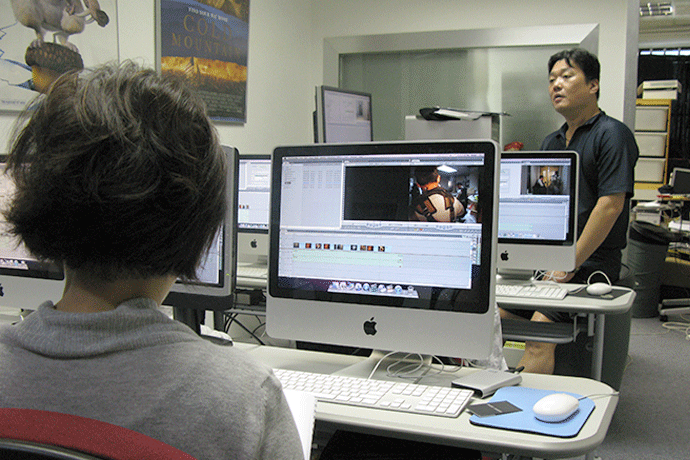
    It was very important for us to take steps to understand their training needs. Like some of our previous clients in postproduction and broadcasting, we all suffered from start up pains. So much to do, so little time to learn. After an initial visit to their site in Macau, we began to customize FATBARS’ Final Cut Pro training for them. Their training was done in FATBARS because we have an edit suite with broadcast grade equipment that they can access anytime during their training. At this moment, their main production is to create video media for multiple purposes.

    rom internal corporate presentations, to the video presentations catered for outside media and marketing purposes.Because they have a host of different formats of videotapes like Betacam, HDV, SD and other media sources, the need to understand how each format works together was important. Together with the footage that they are currently shooting, their production libraries are bound to grow in folds. There was also concern on setting up a system that could expand and adapt as their ever-growing workflow. Beside tape output, Venetian Macau Limited Visual Department ‘s production will also repurpose their work into other media formats like DVD and for their website. Incorporating some DVD Studio Pro training, to handle issues like subtitling was essential. From ingesting video footages into Final Cut Pro, to finishing the project with DVD Studio Pro.With their newly acquired skills, we wish them the best of luck for the exciting times ahead.

    venetian2
    venetian5
    venetian4
    venetian1
    venetian3
    venetian6

    Copyright @ Fatbars Limited 2026

  • Training PCCW Engineers at Fatbars

    Training PCCW Engineers at Fatbars

    Multi format tapeless digital video, shot with a professional camera or your iPhone, the choice is yours. This opened a flood gate of non traditional production workflow. It also create a confusion, especially among broadcast engineers. What use to be SDI signal, digital beta cam decks and broadcast monitors, today they have to deal with issues like operating system , which OS works with which software versions and the ever changing and updating versions of NLE software. The software we used to know no longer comes in a box with instruction. They comes from App store and cloud.

    We first taught PCCW video engineers a few years ago with Final Cut Pro 7. Today, they came back to Fatbars, to update themselves with OSX 10.9 Mavericks and Final Cut Pro X 10.1. As they takes care of the production systems inside RTHK, they themselves needs to know how to use Final Cut Pro X 101, to find out if the problem is hardware or software based. RTHK now has the new Mac Pro in their facilities. The Mac Pro’s hardware is incredibly powerful, especially if you’re using it for pro-level graphics and video tasks. It can output to up to three 4K displays simultaneously, thanks to six Thunderbolt 2 ports plus HDMI.

    Final Cut Pro X 10.1 makes full use of OSX 10.9 and the new Mac Pro. Optimized for the new Mac Pro, Final Cut Pro X can work with multiple streams of 4K ProRes at full resolution. For the first time, Final Cut Pro supports external monitoring at resolutions up to 4K. Use the HDMI port on the new Mac Pro to connect directly to a high-quality display. Or use third‑party I/O devices for gorgeous 10-bit video monitoring via Thunderbolt 2. You can also consolidate your libraries in Final Cut Pro X and configure your libraries to backup in any customized location, local or network. Many things can go wrong in a complex NLE environment. Today broadcast engineers have to update their skills to match the ever updating digital workflow

    PCCW_FCPX_1
    PCCW_FCPX_3
    PCCW_FCPX_4

    Copyright @ Fatbars Limited 2026

  • Salon Media in Motion and Color

    Salon Media in Motion and Color

    One of the oldest movie filmed in Hong Kong will undoubtedly be the movie “The World of Suzie Wong”. It was filmed in Hong Kong back in 1957. The same company that worked on this movie, is still active in production today. Salon Films (H.K.) Ltd. in Hong Kong has been in operation for more than 50 years. Recently, Salon Media upgraded their Motion and Color skills at Fatbars.When we were approached to train the production staff at Salon Media, we were curious to learn how Final Cut Studio integrates into their current work flow. They are already seasoned Final Cut Pro editors, looking to upgrade their skills by tapping into the powers of Motion and Color. Like our previous corporate clients, customized schedule was needed in order to fit training into their busy production timetable.

    Salon Media produced everything from 10 seconds television commercials to internationally acclaimed feature films. Some of their current co – producers and clients are Twentieth Century Fox, Columbia Pictures, Paramount Pictures, CBS, Universal, Warner Bros, Aaron Spelling Productions, ABC, MGM, Coca Cola, Visa credit Card, National Panasonic, United Parcel Services, Camel Cigarettes, Chase Manhattan Bank, Cathay Pacific Airways etc. Their key personnel staff often received the best training, often overseas as a vital part the company’s investment in the future. Because of their long history with film production, their main concern was the upkeep of the quality of their production to the highest possible grade. Because of Color’s integration with Final Cut Pro, color grading is now be a natural part of HD or film workflow. Motion’s stabilizing and tracking function, allows them to fix problematic shots as well as create dynamic graphics in 3D space. With their new acquired skills, we hope they would continue to create quality productions in Hong Kong for many more years to come.

    Salon6
    Salon5
    Salon2
    Salon1
    Salon3
    Salon4

    Copyright @ Fatbars Limited 2026

  • RTHK Acquisition Team gets Final Cut Pro X Training

    RTHK Acquisition Team gets Final Cut Pro X Training

    Recently, we had the pleasure of training the Acquisition Department of RTHK. Unlike the other department we had trained in RTHK, this department deal with television programs from multiple source and different region. Dealing with interlace and format issues from other countries, and television programs provided by outsource producers in Hong Kong and China. 

    During our pre training meeting, one of their concerns was to come out with the correct workflow for their crew using Apple Final Cut Pro X 10.1 that is customised to their needs. Fatbars’ customized training was able to do just that.

    Using Final Cut Pro X’s roles assignment function, this guaranteed the correct audio track will be rightly placed in the rightly assigned track in the final output. Using compressor, the crew can easily watermark their work before sending them out. With the ever increasing digital video formats, we wish the crew best of luck.

    RTHK_Acq4
    RTHK_Acq5
    RTHK_Acq1
    RTHK_Acq2
    RTHK_Acq6
    RTHK_Acq3

    Copyright @ Fatbars Limited 2026

  • Renaissance Colleage’s FCPX workshop

    Renaissance Colleage’s FCPX workshop

    This workshop was for both teachers and students who have some experience using Final Cut Pro X before. Digital Media is evolving so quickly that short workshop like this one, help people pick up the latest technology updates in a amount of short time. As more consumer equipments are shooting 4K, understanding the challenge will better prepare for the changes ahead, in an education scenario.

    As before, we had a great time and thank you for having us. We look forward to many more events with all our educational clients.

    R3
    R1
    R4

    Copyright @ Fatbars Limited 2026

  • Kadoorie Farm get Adobe Premiere Pro training

    Kadoorie Farm get Adobe Premiere Pro training

    Conservation in Hong Kong certainly need more publicity. Creating awareness is vital to all community around the world. Filming and documenting Hong Kong wildlife is more crucial than ever. Hong Kong, as well as everywhere else in the world, faces numerous challenges to conservation. Wasteful habits and the degradation of natural resources are just a few.

    They have chosen Adobe Premiere Pro CS 6 as their platform to create online media for their website and events. The intense training was conducted over 3 full days. During the training, we ourselves also learnt and understand more about Kadoorie Farm conservation work. With this new skills, it will be exciting to revisit their website to see Hong Kong Wildlife through their lenses and movies

    K2
    K3
    K1

    Copyright @ Fatbars Limited 2026

  • HKTDC Gets Customized Training at Fatbars

    HKTDC Gets Customized Training at Fatbars

    The Hong Kong  Trade Development Council (HKTDC) set up its Media and Webcast Centre to create online videos and webcasts which support the Council’s efforts to create opportunities for Hong Kong companies. The HKTDC is a statutory body established in 1966, which serves as the international marketing arm for Hong Kong-based traders, manufacturers and service providers.

    In recent years, the organisation has expanded its use of video and “new media” channels to further its mission. Many of these productions done by the Council showcase successful companies, innovative ideas and business people, valuable trade fairs and events or the insights from HKTDC economists or industry experts who can help business people who work in or through Hong Kong as a platform for doing business with China and throughout Asia.

    We first met Joe Kainz and Brian Liu from HKTDC when they were interviewing Director Kenneth Bi at the Hong Kong Educational Fair. After much discussion, Fatbars customised a Final Cut Studio training course, to help retool their crew with their latest addition.

    The HKTDC has done video webcasts for several years using its own platform but about two years ago stepped up distribution by using YouTube and similar video sites on the Chinese mainland. Their edits are also passed along to news platforms such as the subscriber-only Reuters Insider site and independent blogs. Many of these platforms are increasingly in high definition video. Providing higher quality videos material which can be shown both at HKTDC trade events and online. As video production technology becomes more accessible, many organisations like HKTDC are increasingly communicating with video materials.

    Becoming more directly involved with editing and graphics production related to their trade events, interviewing with our HKTDC economists or our branch directors who offer market insights for small and medium-size enterprises. With the new webcast studio was completed about two months ago, the team can now edit using Apple Final Cut Pro, in connection to the studio switching facilities.

    As they gradually become more involved in fast-turnaround items, Apple Final Cut Pro becomes the one of tool creating multi-media rich enewsletters and press releases for HKDTC.

    hktdc1
    hktdc3
    hktdc2

    Copyright @ Fatbars Limited 2026

  • Customized After Effects and Premiere Pro Training at SCMP

    Customized After Effects and Premiere Pro Training at SCMP

    Fatbars have offering Customised Post Production and IT training for production houses, schools and corporation like WSJ, Bloomberg, ESF,Venetian Macau since 2001. Coming from the production industries, we are fully aware how difficult it can be, for companies and individuals to upgrade with the fiery pace of technology. We are very honoured to add South China Morning Post into that portfolio.

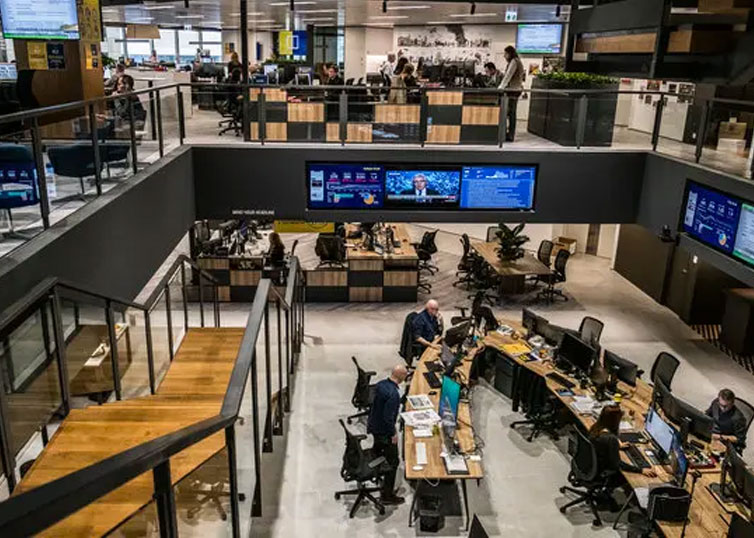
    A total of 15 people from different departments in SCMP,  attended a series of Adobe After Effects CC, Premiere Pro CC and Advanced Premiere Pro CC training, provided by Fatbars. Lots of organising goes into this on site training, Bringing SCMP staff from different departments and both inside and outside of Hong Kong, to attend this training. Training schedule was customised to better fit staff availability. Training was conducted over the period of 3 months, at SCMP office. In this situation, on site training was beneficial to everyone. Flexibility and training results were better customised, in tune with the needs of the attendees. 

    It was great for us to be training in such a wonderful environment. Very impressive pantry as well 🙂  We want to thank Mat Booth and Cherie Lo at SCMP,  for the opportunity to bring our training to SCMP. We wish everyone who came to class, the very best.

    SCMP6
    SCMP1
    SCMP3
    SCMP2
    SCMP5
    SCMP4

    Copyright @ Fatbars Limited 2026

  • Decentralising Post Production Post Pandemic

    Decentralising Post Production Post Pandemic

    Prior to the pandemic, directors, producers and production crew would spend hours in editing rooms discussing and experimenting new ideas. The shift to a truly remote work environment has caused many creatives to notice much more dramatic changes than they expected.

    Every crisis offers new opportunities. Currently, it indicates that the post production industry can accept a shift to a decentralised workforce. In this way, productions on a lower budget would be able to connect with industry professionals outside their own geographic region or country. But this comes with its own unique challenges. Your team are trying to contribute their ideas and overcome technical hurdles with everyone separated from each other. It is likely that editors who work long hours both at home and in the office already have equipment capable of doing the most basic tasks they need. Those less technically included face a few challenges. Here are some of the common challenges of remote post production.

    Speed

    For remote post-production workflow to work, it is imperative that every member of your team has their own remote equipment with bare minimum specs. Slow internet speed and computer with not enough memory and graphics capabilities will break the production workflow.

    Sharing seamlessly and securely

    In remote collaboration, lots of files need to be shared, and they are enormous in file size. You’ll need to find some file sharing methods that will allow your team to share files of all sizes seamlessly and securely. Post production creatives need to access those original massive files. System like the Blackmagic Cloud Store can easily handles lots of simultaneous users. Handle large media files that need to be shared between multiple DaVinci Resolve users for editing, colour correction, audio post and VFX work. Seamlessly and securely.

    Managing projects real time

    It’s a constant battle to make collaboration tools work for creatives as they struggle with lag, file-transfer issues and inadequate project management tools. Cloud-based collaboration platform like Frame.io enables creative team to stay connected without needing to download the massive files. Frame-accurate comments can be made on a precise single video frame or across a segment of a video. Comments and approvals can be made in real time by approved individuals anywhere, even using their mobile devices.

    Conclusion

    As the “new normal” for creative teams spread out across the country or continent, exciting tools and technology are constantly being developed to help remote teams collaborate more effectively. The question becomes, are you ready to adapt? It’s time to embrace the decentralisation and solidify the future of your post production business.

    Article
  • How much disk space do you need?

    How much disk space do you need?

    Before starting any project that involves any form of shooting and editing videos for any occasion, there is ONE important question you have to answer. Your answer could increase and affect your budget both in terms of money, time and disk.

    “ Do I have enough disk space in my computer to do this project?” If you don’t, you will need to make space by trashing out or backing up stuff into a new drive, that is currently eating up your disk space in your computer.

    If you don’t spring clean and make space, you are going to run out space mid way through your project and crash your system. Period. But how do I find out? You need to know 2 things. 1) The file format of video saved when you record 2) The resolution of your video. Is it HD or 2K or 4K.

    There are nice folks out there that make a free Video Calculator that you can use. Remember, the average shooting ratio is 1 : 8. For every 1 min of usable video, you will be shooting 8 mins worth of video. After calculating the full sum, you are advised to at least x2 (double) or x3 (triple) the totals.

    Photos by Pixaby, cotton bro, Thank you for reading. Hope this helps you answer the question. If you want more tips like this in the future, let us know.

    #learnsomethingnew #learn #calledtobecreative #education #inspiration #learningthroughplay #creativebiz #creativeentrepreneur #creativelife #growyourbusiness #digitalmarketing #entrepreneurlife #entrepreneurmotivation #productivitypotential #creativityfound #creativebusiness #inspirationbusiness #selfgrowth #productivitytools #feedyourbrains #businessofdesign #training #postproduction #fatbarshongkong #setlife #premierepro #resolve #editing

    FYB_5.001
    FYB_5.003-1024x1024
    FYB_5.006-1024x1024
    FYB_5.005-1024x1024

    Copyright @ Fatbars Limited 2026