Category: Blog

  • Apple Final Cut Pro Training workshop at CCC Ming Kei College

    Apple Final Cut Pro Training workshop at CCC Ming Kei College

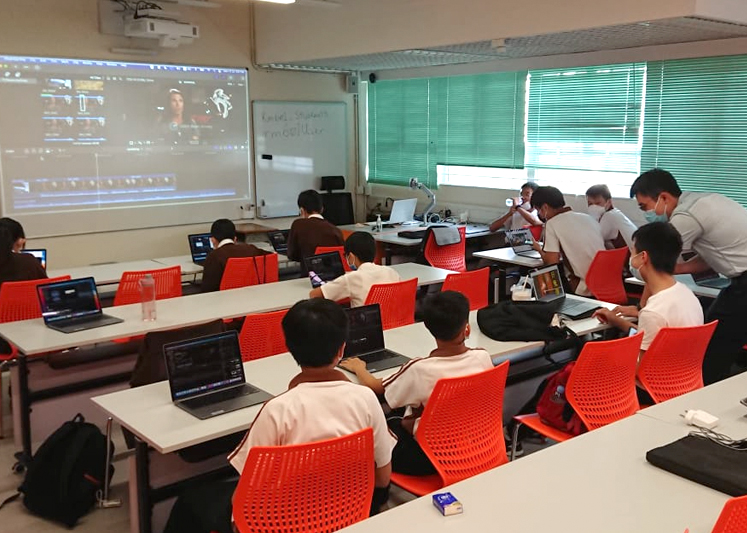
    Fatbars have always worked with schools in Hong Kong , holding training workshops with their students at their schools. This time our Apple Final Cut Pro workshop was held at CCC Ming Kei College. Founded in 1967, Ming Kei College is an Anglo-Chinese grammar secondary school founded by The Hong Kong Council of the Church of Christ in China. The students have some essential editing skills but would like more in-depth Apple Final Cut Pro training for their future projects.

    We were approached to teach 8 lessons to 14 students, using Apple Final Cut Pro as the main editing software. Using a mix of Intel based and M1 Apple Laptop at their school. Because the classes were held continuously over 8 days, this training was more intense and efficiently delivered.

    Even during classes, their students have their current and future projects in their mind. Learning new tools and solving workflow issues using Apple Final Cut Pro. Hoping to push the standards of their work to the next level.

    Thank you for having us at your school. Happy Editing!

    CCCollege6
    CCCollege1
    CCCollege3
    CCCollege7
    CCCollege2
    CCCollege5

    Copyright @ Fatbars Limited 2026

  • Apple Final Cut Pro and Apple Motion training at China Daily Entertainment

    Apple Final Cut Pro and Apple Motion training at China Daily Entertainment

    This hybrid Apple FCP and Apple Motion training were conducted on site and streamed via Zoom simultaneously. With lessons conducted both in the morning and afternoon on the same day. This allow their staff to have the flexibility hopping into different sessions of different apps when needed.

    CD-3
    CD-1
    CD-4
    mtn
    CD-2
    fcpx

    Copyright @ Fatbars Limited 2026

  • After Effects Production Training for Mass Transit Railway (MTR)

    After Effects Production Training for Mass Transit Railway (MTR)

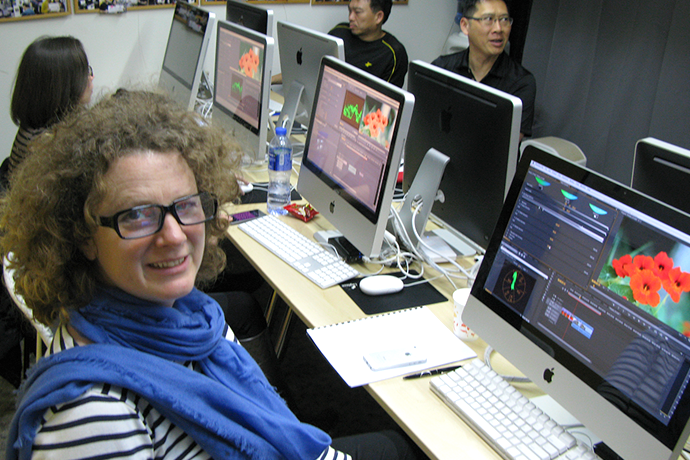
    Recently, MTR came back to Fatbars for their After Effects Motion Graphics Production training.  We visited MTR Headquarters again, to check out the changes to their production since 5 years ago. Like all production houses these days, they are running Apple Final Cut Pro 7 as well as using Apple Final Cut Pro X to edit their projects. Apple Motion is still the main motion graphics software. The addition of Adobe After Effects skills will come handy when it comes to 3D tracking and visual effects needs. Understanding the strength of each of the software, plugins, file formats and cameras, will give your production team the best tools for the job. That has always been the fundamental concept of Fatbars post production training.

    The MTR team projects have always evolve around corporate training and events projects. With the growth of MTR comes the growth in the amount of production work that needs to be done, while keeping their production standards. Multi language versioning and multiple formats with quick turn around time are a constant challenge to the team. We wish them luck.

    mtr3
    mtr1
    mtr2

    Copyright @ Fatbars Limited 2026

  • Customized After Effects and Premiere Pro Training at SCMP

    Customized After Effects and Premiere Pro Training at SCMP

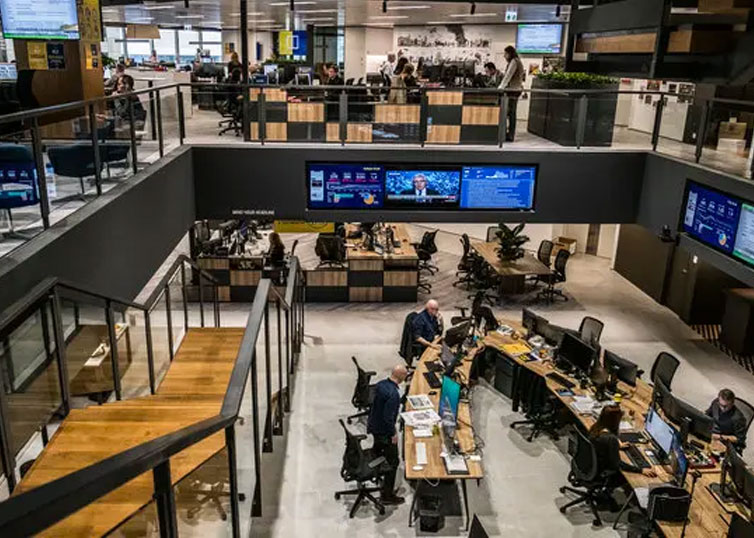
    Fatbars have offering Customised Post Production and IT training for production houses, schools and corporation like WSJ, Bloomberg, ESF,Venetian Macau since 2001. Coming from the production industries, we are fully aware how difficult it can be, for companies and individuals to upgrade with the fiery pace of technology. We are very honoured to add South China Morning Post into that portfolio.

    A total of 15 people from different departments in SCMP,  attended a series of Adobe After Effects CC, Premiere Pro CC and Advanced Premiere Pro CC training, provided by Fatbars. Lots of organising goes into this on site training, Bringing SCMP staff from different departments and both inside and outside of Hong Kong, to attend this training. Training schedule was customised to better fit staff availability. Training was conducted over the period of 3 months, at SCMP office. In this situation, on site training was beneficial to everyone. Flexibility and training results were better customised, in tune with the needs of the attendees. 

    It was great for us to be training in such a wonderful environment. Very impressive pantry as well 🙂  We want to thank Mat Booth and Cherie Lo at SCMP,  for the opportunity to bring our training to SCMP. We wish everyone who came to class, the very best.

    SCMP6
    SCMP1
    SCMP3
    SCMP2
    SCMP5
    SCMP4

    Copyright @ Fatbars Limited 2026

  • Adobe Premiere Pro Workshop for Turner Asia Pacific

    Adobe Premiere Pro Workshop for Turner Asia Pacific

    This week we welcome back Turner Broadcasting System Asia Pacific to Fatbars. We had previously trained their editors and graphics department. This time is Fast Start Adobe Premiere Pro Workshop training for Turner Network Asia’s producers.

    It has always been quite a process for any company to migrate or update an existing workflow. When Turner Asia decided to move their workflow towards Adobe premiere pro as their main NLE, we were approached to come up with a customized training for their Adobe Premiere Pro MXF workflow.

    Turner Broadcasting System Asia Pacific, Inc. creates and distributes award-winning, branded news and entertainment media environments on television, and other platforms around the Asia Pacific region and beyond. Turner broadcasts 40 channels, in 12 languages, in 40 countries throughout Asia Pacific.Turner’s brands include CNN International, CNNj, CNN, HLN, Cartoon Network, Cartoonito, Boomerang, Pogo, Toonami, TCM Turner Classic Movies, truTV, WB, HBO, HBO HITS, HBO DEFINED, MONDO TV and TABI CHANNEL.

    Different audio with different languages like Thai, Chinese, English etc for different region in the Asia Pacific. That is why Turner’s on air promos are edited and finished with multi tracks of audio in the MXF format. Material eXchange Format (MXF) is a container format for professional digital video and audio media defined by a set of SMPTE standards.

    This customized training was divided into two groups once a week, to work around the busy schedule of their staff. Most of the producers are either Final Cut Pro 7 or Avid current users. The main objective of this training is to bring experience producers with existing NLE editing skills to Adobe Premiere Pro environment, and be able to continue their creative work with this additional new skills and workflow.

    We wish them best of luck.

    turner_2
    turner_1
    turner_3

    Copyright @ Fatbars Limited 2026

  • Being Certified as Pixotope Certified Expert

    Being Certified as Pixotope Certified Expert

    We are thankful that Samantha had the opportunity to participate in a recent Pixotope Certification training, alongside professionals from different parts of the world. Having successfully completed the certification exam, Samantha, has attained the title of Pixotope Certified Expert.

    With more than 20 years of experience in the broadcast industries, Samantha knows the challenges of setting up workflows for live production, where there’s no room for mistakes. Live productions can be demanding and stressful, and everything must work every time. Fix it in post is not always an option.

    Pixotope has been successfully deployed in live events like League of Legends, Riot Games, and The Weather Channel, making it a trusted choice for critical productions. Based in Oslo, Norway, Pixotope provides a virtual production solution for rapidly creating live motion and production graphics, virtual studios, augmented reality (AR), Extended reality (XR), and Mixed reality (MR) using Unreal Engine. Built for live on-air use with rapid design and deployment.

    The chance to gain hands-on experience and connect with Pixotope was an opportunity that Samantha could not let pass by. Our heartfelt thanks go out to Pixotope for making this possible.

    ** Please note that this training is not opened to public and only offered directly from Pixotope. Visit Pixotope’s website for more information. https://www.pixotope.com/

    pixo_newsletter

    Copyright @ Fatbars Limited 2026

  •  Gimp tutorial : Make instagram carousel post with Gimp

     Gimp tutorial : Make instagram carousel post with Gimp

    Gimp is a free and open-source video editing software that offers a range of features for creating high-quality photo editing tools. It is compatible with Windows, Mac, and Linux, making it easily accessible to a diverse user base.

    One of the most significant advantages of Gimp is its Photoshop like tools. The software is straightforward to use and does not require any prior experience in photo editing.

    This is where Fatbars post-production using open-source applications training series for creating content comes in. This tutorial is for the people who are tired of being tied up in a subscription plan like Adobe CC. This project-based tutorial provides a step-by-step guide from start to finish using Gimp. By following along with this five-part tutorial, you can learn how to create a professional instagram carousel with Gimp Tools. Creating content can often come with a hefty subscription price tag. Fortunately, open-source free applications like Gimp, it can help you create digital design on a budget.

    All the clips and graphics are provided in the links below. Happy Learning.

    Gimp-Instagram

    Course Outline
    Start : Setting up your Project
    Part 1 : Crop your design
    Part 2 : Resize your photo and set up your grids
    Part 3 : Add Graphic elements
    Part 4 : Add Text and Logo
    Part 5 : Slice and upload to Instagram

    Download the photos and graphics at the following websites. Links can be found below.

    Copyright @ Fatbars Limited 2026

  • OpenShot Video Editor Tutorial Series

    OpenShot Video Editor Tutorial Series

    OpenShot Video Editor is a free and open-source video editing software that offers a range of features for creating high-quality videos. It is compatible with Windows, Mac, and Linux, making it easily accessible to a diverse user base.

    One of the most significant advantages of OpenShot is its user-friendly interface. The software is straightforward to use and does not require any prior experience in video editing.

    This is where Fatbars post-production using open-source applications training series for creating content comes in. This project-based tutorial provides a step-by-step guide from start to finish using OpenShot Video Editor. By following along with this five-part tutorial, you can learn how to create similar projects on your own. In this project , you will create a short video promotion for Hong Kong. All the clips and graphics are provided in the links below.

    As the digital landscape continues to evolve, creating high-quality content has become essential for both individuals and businesses. Whether for personal or professional use, the need to produce engaging videos, podcasts, or other digital content is a top priority. However, creating this type of content can often come with a hefty price tag, making it a daunting task for those on a budget. Fortunately, open-source free applications like OpenShot Video Editor can help you create digital content on a budget. Happy learning.

    openshot_still

    Course Outline
    Part 1 : Import your media and set up your editing statio
    Part 2 : Editing your clips on the timeline
    Part 3 : Adding Transitions to multiple clips at the same time
    Part 4 : Animating graphical elements
    Part 5 : Adding Titles and Music

    Download the training clips and graphics at the following websites. Links can be found below.

    Copyright @ Fatbars Limited 2026

  • Am I too old to learn new tech ?

    Am I too old to learn new tech ?

    “I am too old to learn any more.” or “ You can’t teach an old dog new tricks.” These are some of the excuses, often used by people, no matter what their age. May it be 40s or 60s, the idea that age plays such an disruptive role in when it comes to learning new skills is totally unfounded.

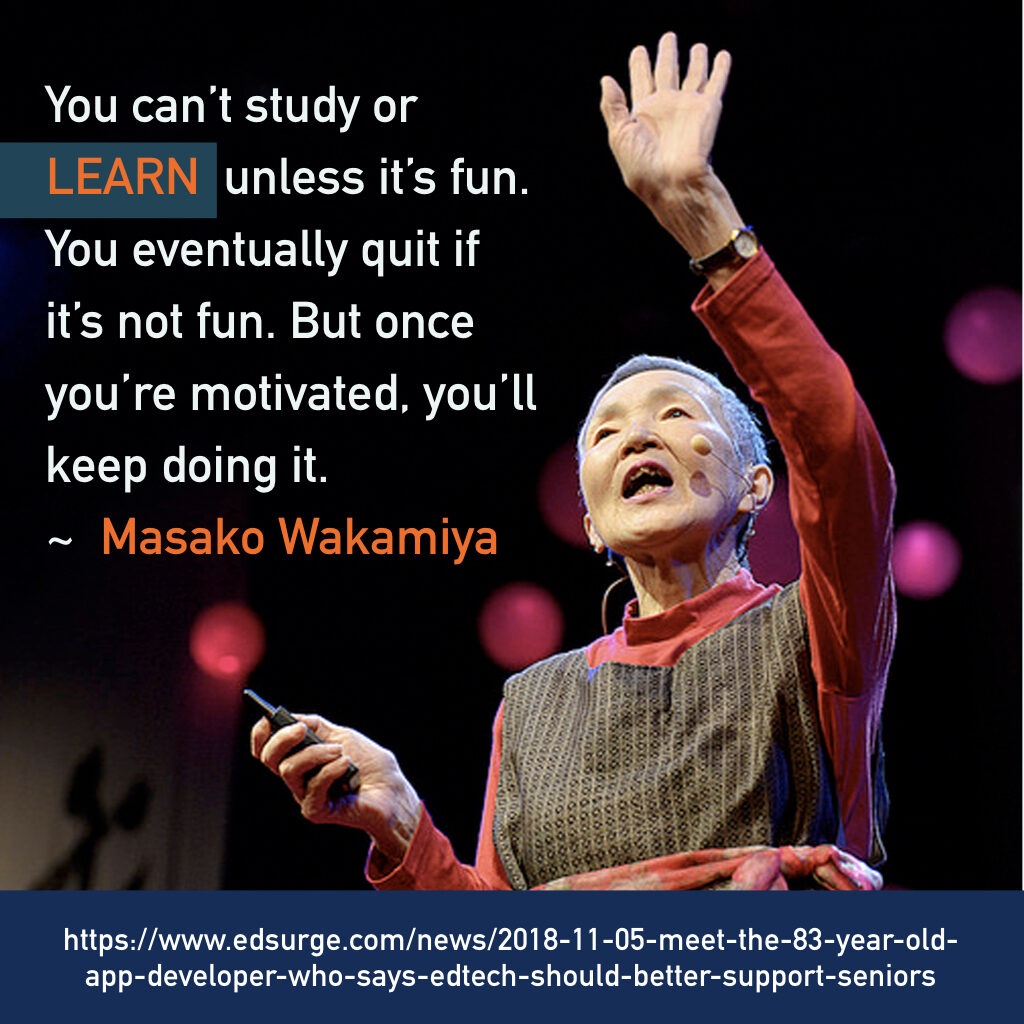
     Let’s introduce you to the oldest programmer in the world, Ms Masako Wakamiya, who got her first personal computer at age 58. This amazing lady did not know anything about programming or technology when she retired. Wrote her first iPhone app in 2017 just because there were no apps that old people found amusing. she decided to make a game in which old people could beat young people !

    I am so inspired by her spirit of learning through playing and having fun. Hope you are inspired by her journey as well.

    #learn #ios #programmer #MasakoWakamiya #nikkei #create #maker #creative #learnsomethingnew #education #learningthroughplay #creativelife #inspiration #selfgrowth #feedyourbrains #doitfortheprocess

    FYB_learn.001
    FYB_learn.002-1024x1024
    FYB_learn.004-1024x1024
    FYB_learn.006-1024x1024

    Copyright @ Fatbars Limited 2026

  • Immersive VR Project with Special Needs Education (SNE – Children)

    Immersive VR Project with Special Needs Education (SNE – Children)

    Back in 2017, our team developed an application called “Xperience Director” for controlling multiple VR headsets on a local network via a laptop. The idea was to create externally guided VR experiences. Initially, our target audience was young children and elderly who may not be able to trigger actions on their own. Upon meeting with therapists that catered for ADHD children, the project evolved. Review studies have found that virtual reality technology could be used to help detect ADHD, as well as train people with ADHD in skills like memory and concentration. However, they felt that many of the apps available at the time did not take localisation in account and were too broad to address existing ADHD issues they encountered on a day-to-day basis.

    Dealing with Hypersensitivities

    People with ADHD often have a high sensitivity to loud noises and bright lights, which is particularly problematic for children in cities like Hong Kong. Visiting places like supermarkets can produce such agony and fear, making them incapable of even entering these places. Considering that, we adapted Xperience Director specifically to allow external control to include ambient recordings and brightness in local VR scenes. In a safe and controlled way, the therapists can slowly reintroduce an immersive local environment to ADHD children using VR and Xperience Director, preparing them before their visit to the real place.

    Detecting ADHD

    With the release of more affordable VR equipment like Oculus Quest, concentration VR training games became more widely available. Together with our therapist contact, we investigated whether any VR games can prove beneficial to local ADHA children. They felt that the games available were either too fast paced or can be frightening for children who fear dark immersive and flashing environments. We consulted with therapists to come up with a VR assessment game, tasked to collect the right data they need for their work. We called this “Project Attention Assessment”.

    Project Attention Assessment

    Each level in this VR game focuses on a different task. We designed the levels with the therapist advice, gathered the data, analysed it to display them in a visual manner to the therapists. Overall the game lasted for around 15 minutes. The levels are designed to test the player’s ability to remain focused, filter out distractions, switch task objectives and follow audio instructions. Combined with the information collected prior to gameplay, the gameplay data will form a clearer assessment of the subject.

    Not All Scores Are The Same

    With most games, the score is flashed on the player’s screen constantly. What we found out from our test group, the on screen score distracts them from their goals. Project Attention Assessment does not have an in-game score. Regardless of how good or bad a player is, the game does not punish them when they miss. In fact, what we learned is that it is more important to understand whether the player scores mostly at the beginning or the end of each level. Is there a particular colour or shape that the player tends to miss scoring? These data collected will help determine which areas of the player’s condition they should further investigate.

    Age And Gender

    During this project, we learned that gender and age play an important part. Two 11-year-old kids, born in January and November of the same year can have quite different physical heights and behaviours, according to our therapist. When comparing the game data collected, it is important to include age and gender as part of the assessment report.

    Privacy and Data Protection

    In any project, data protection should never be an afterthought. Each participant was given a string of numbers during gameplay and were siloed from their personal information. Data collected should only be accessible to their official assigned therapist and guardians.

    Conclusion

    Interestingly, our young players scored pretty well despite being somewhat agitated in a normal conversation setting. They seem relatively calm once they are in VR mode. You really cannot judge the book by the cover. This project has been difficult to continue due to the pandemic situation and strict Covid-19 protocol adopted in Hong Kong. If you are interested in our findings, please contact us directly at samanthagoh@fatbars.org. Perhaps consider setting up a similar program for your own community.

    Image

    Copyright @ Fatbars Limited 2026